URBANopt™-REopt® Cost Analysis (Alpha) Capabilities
The URBANopt-REopt Cost Analysis capabilities can be used to calculate capital and operational costs associated with buildings in a district, campus, or neighborhood using URBANopt-REopt workflows. These cost calculations will support comparison of various URBANopt scenarios, providing insights into the financial implications of different design decisions and enhancing visibility into project feasibility and cost-effectiveness. For example, users can define costs for a baseline new construction project and compare them with scenarios featuring increasing levels of energy efficiency. This functionality also supports evaluating tradeoffs between capital investments in building energy efficiency and demand flexibility technologies and their resulting impacts on operational energy savings.
The workflow utilizes user-defined costs for each URBANopt scenario and leverages the REopt techno-economic engine to calculate financial parameters such as Net Present Value and Lifecycle Capital Cost for the analysis period. These are alpha capabilities initially released in URBANopt version 1.2.0 for initial user testing and feedback and may be refined and updated in future releases.
These following sections detail the inputs required, expected outputs, software architecture and workflow for running the analysis.
User Cost Inputs
Capital Costs for Buildings
This is a user input for the total capital cost associated with a single building in each scenario. It can be added as a total cost ($) or cost per floor area ($/sq.ft.). The capital costs for each building will be aggregated for all the buildings on the site and will be reported at the scenario level, allowing direct comparison across scenarios. Users may specify known total capital costs per building for both baseline and high-efficiency scenarios.
Note that dummy values of $1 and $1/sq.ft. will be propagated for each building in the REopt Scenario File initially. Users should modify the values to reflect the actual capital costs of their project.
Analysis Period
The analysis period for financial calculations can be modified in the REopt Assumptions File, under the Financial.analysis_years field. This is set at 20 years in the example URBANopt-REopt assumptions files.
Electricity Utility Rate
The electricity utility rate will be specified through the Utility Rate Database (URDB) label at the project level. This is used to calculate the operating costs for electricity consumption across scenarios.
Fuel Utility Rate
The fuel utility rate is user specified ($/MMBtu) at the project level. The rate is applied when calculating operating costs for fuel consumption across scenarios. The initial capability supports Natural Gas fuel type. Note that placeholder values of $11.5/MMBtu will be used in the REopt Assumptions File initially. This is based on average Natural Gas prices for the project example file location (NY State) Reference: NYSERDA Natural Gas Price. Users should modify the value to reflect the actual fuel cost of their project.
| Input | Unit | URBANopt SDK Location | Notes |
|---|---|---|---|
| Capital costs for buildings | $ or $/sq.ft. | REopt Scenario File | New fields added for $ and $/sq.ft. |
| Electricity utility rate | URDB Label | REopt Assumption File | Existing field used |
| Fuel utility rate | $/MMBtu | REopt Assumption File | New field added |
REopt Calculations
Building Capital Cost Calculation
Currently, a generic category for “building energy upgrades” is not supported as a distinct technology type within the REopt engine. To enable cost calculations associated with building technology upgrades, the Wind technology type is being used as a placeholder.
Although Wind is not modeled within the URBANopt–REopt integration, it provides the necessary input fields and analytical capabilities required to represent building energy upgrade costs. By repurposing the Wind technology type in this manner, we can support upgrade cost analysis without modifications to the core REopt schema.
In the future, if/when REopt introduces explicit support for input of building capital costs, the integration will be updated to leverage the new inputs directly, replacing the temporary Wind-placeholder representation.
The REopt input assumption file is used to include building energy upgrade costs under Wind.
Fuel Cost Calculation
To calculate the fuel cost for building fuel energy consumption, the SpaceHeatingLoad > fuel_loads_mmbtu_per_hour REopt property is used. The fuel_loads_mmbtu_per_hour field takes an array of hourly fuel consumption values for the building. Using the URBANopt default feature reports, the hourly fuel load values are populated into this field. The fuel cost per MMBtu is then copied from the user-specified value in the REopt Assumption File into the ExistingBoiler > fuel_cost_per_mmbtu property in the REopt input schema. These inputs are passed on to REopt, which then calculates the total fuel cost associated with the building. The Boiler object is used in order to calculate Natural Gas fuel costs while the boiler is not actually modeled on the site.
More details on the REopt input schema can be found at: https://developer.nlr.gov/api/reopt/stable/help/?API_KEY=DEMO_KEY and the descriptions of the inputs can be found here: https://natlabrockies.github.io/REopt.jl/dev/reopt/inputs/.
REopt Input Cost Parameters
REopt input cost parameters are specified at the project level, and include the electricity cost escalation rate, analysis years, discount rate fraction and tax rate fraction. More details for these inputs, including the default values, are provided in the REopt user manual.
Overall Workflow
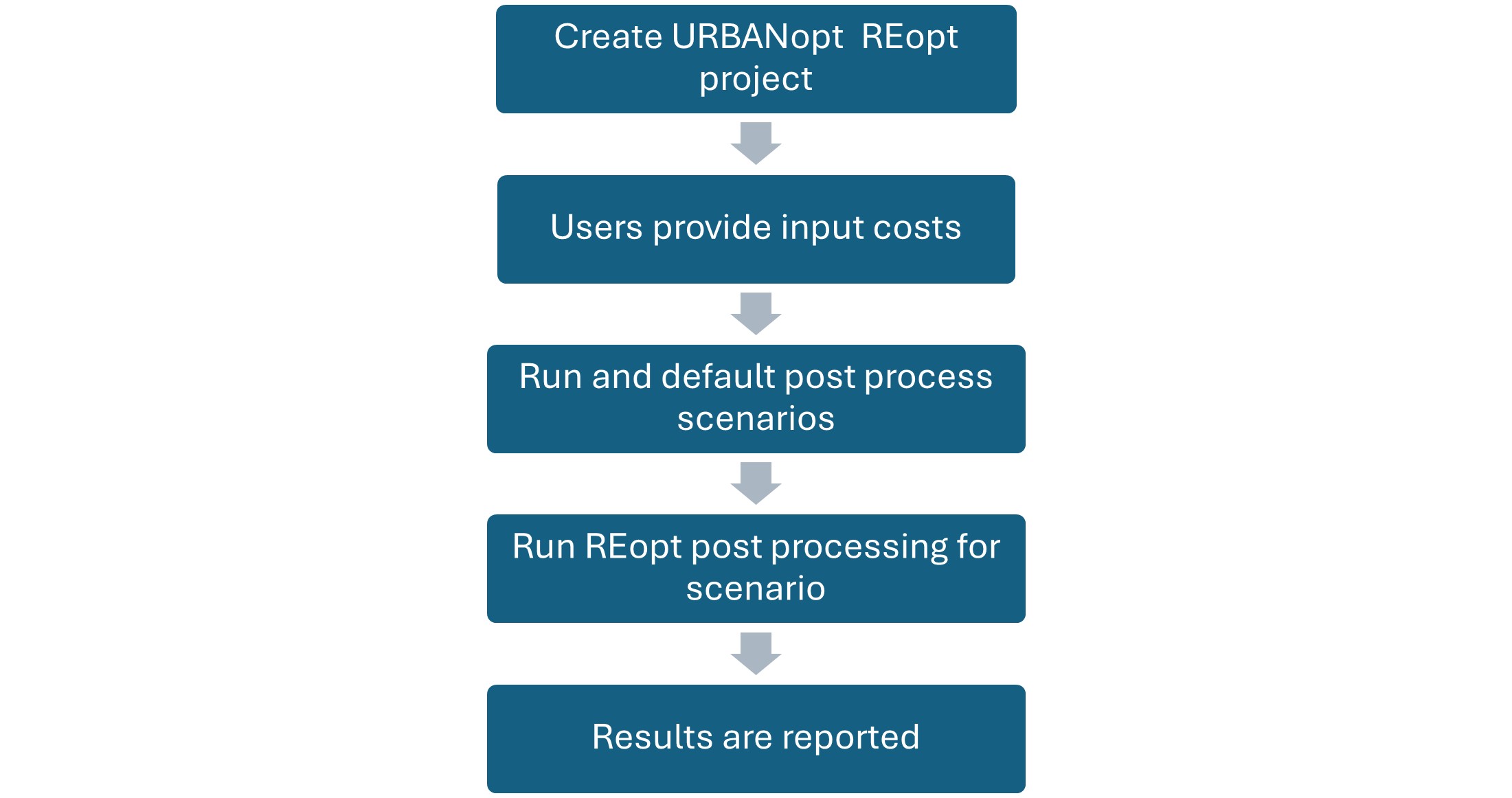
This figure describes the overall workflow for running the REopt cost analysis. The user creates an URBANopt-REopt project and adds the necessary user cost inputs. The URBANopt project is then run, followed by default post processing. Next, the REopt scenario post processing command is run. During this step, the user inputs are copied into the REopt Assumption Files. To get the total capital costs for a scenario, individual building capital costs would be multiplied with the floor area (if costs were input as $/sq.ft.) or taken as is if costs were input as total per building, then individual building capital costs would be added to calculate total building capital costs across all buildings. Then, the REopt API call is made with the REopt input assumptions file and the analysis is run. The REopt outputs are then reported back to the URBANopt SDK.
Outputs
The existing REopt output reports will be used to report the financial outputs from the analysis. The outputs reported from the REopt techno economic analysis for each URBANopt scenario are:
-
initial_capital_costs: Up-front capital costs for all technologies, in present value, excluding replacement costs and incentives. If third party ownership, represents cost to third party. -
initial_capital_costs_after_incentives: Up-front capital costs for all technologies, in present value excluding replacement costs, and accounting for incentives. -
lifecycle_capital_costs: Net capital costs for all technologies, in present value, including replacement costs and incentives. Note: The building replacement costs and incentives are currently not considered in the analysis. -
lifecycle_fuel_costs_after_tax: LCC component. Present value of all fuel costs over the analysis period, after tax -
lifecycle_elecbill_after_tax: LCC component. Present value of all electric utility charges, including compensation for exports, after tax.